



This guide walks you through every stage of submitting a manuscript to Chirantan, from creating your account to publication. Each step below matches what you will see on the submission portal.
Before You Submit
Article types. Chirantan accepts two tracks of writing, reviewed differently.
Track A, Creative and Reflective (read by an editorial panel, not sent for double-blind peer review): Poetry, Short story, Write-up or essay, and Documentation and Exposition (documenting an oral, folk, or regional tradition, or an expository essay on a specific Indian Knowledge Systems (IKS) tradition, text, or figure).
Track B, Academic (sent for double-blind peer review): Original research article, Contemporary Scholarship (original research from any discipline in genuine dialogue with Indian intellectual, cultural, or knowledge traditions), Review article, Case study, Short communication, Book review, and Conference report.
Languages. Chirantan accepts manuscripts in English, Hindi, Sanskrit, and all other Indian languages. If your language is not offered in the submission form, write to the editors before you submit. If you submit in a language other than English, you will also be asked to provide an English title, abstract, and keywords, since these are required for indexing services such as Crossref and DOAJ.
Subject areas. Chirantan publishes across the following Indian Knowledge Systems (IKS) subject areas: Art, Aesthetics and Literature; Ayurveda and Integrative Medicine; Education and Pedagogy; Engineering, Technology, and AI; Governance and Political Thought; History and Geography; Linguistics and Computational Studies; Management and Business Strategy; Philosophy and Logic; Traditional Ecological and Agricultural Knowledge; Vastu Shastra and Sustainable Architecture; and Yoga and Indian Psychology. You do not need to select a subject area yourself; the editorial team classifies each submission after it is received.
Before you start, have these ready: your manuscript file (PDF, DOC, DOCX, ODT, or LaTeX); the names, affiliations, and ORCID iDs (if available) of all co-authors; a funding statement, an ethics statement, and a data availability statement; a conflict of interest declaration; and, for Track B submissions, a version with all author-identifying information removed, for anonymised (double-blind) review.
Step 1: Create an Account
Go to the registration page on chirantanjournal.in and provide your family name, given name (optional), email address, and password. You can also register or sign in directly with your ORCID iD, through the "Continue with ORCID" option.
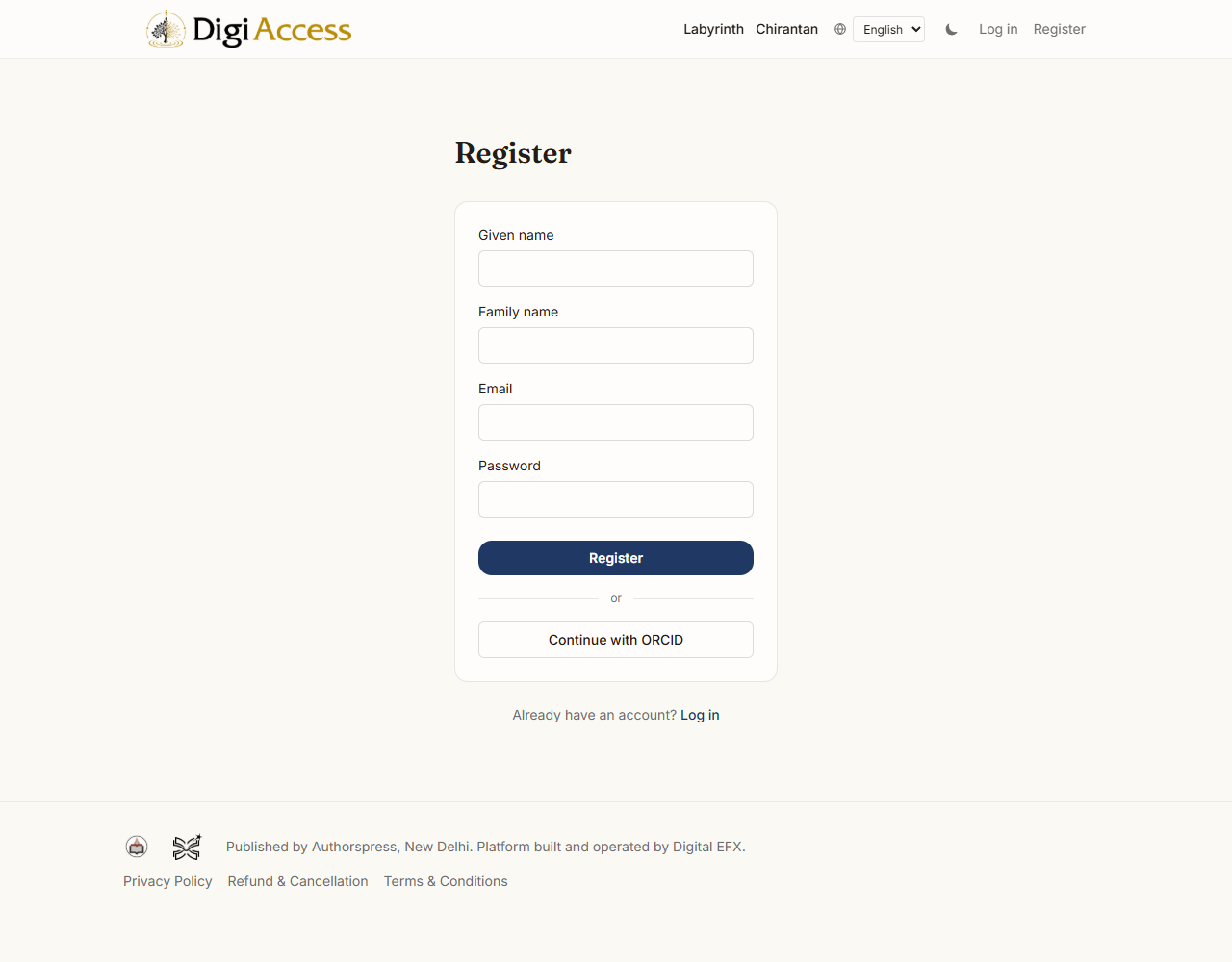
After registering, check your email for a verification link. Your account stays inactive until you click it, so you cannot log in or submit until verification is complete. If the link expires or does not arrive, use the resend verification option on the login page.
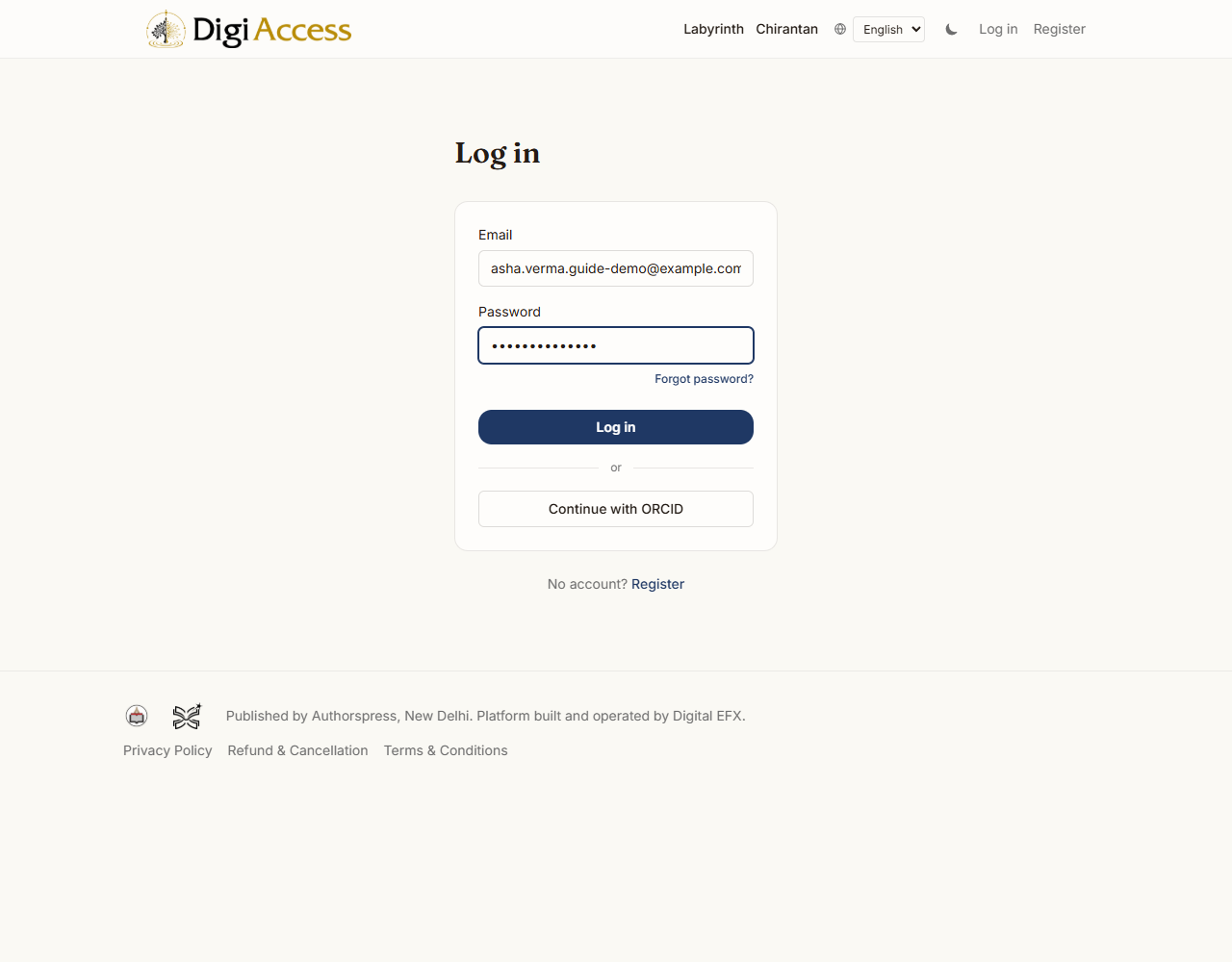
If an editor has already entered a submission on your behalf using your email address, for example one that arrived by post or email, registering with the same address links your new account to that existing record automatically, so your submission history stays in one place.
Step 2: Start a New Submission
Once logged in, go to the Submit page for Chirantan. Choose the submission type that matches your manuscript (see the article types listed above). You may also enter a working title if you have one. Then start your submission.
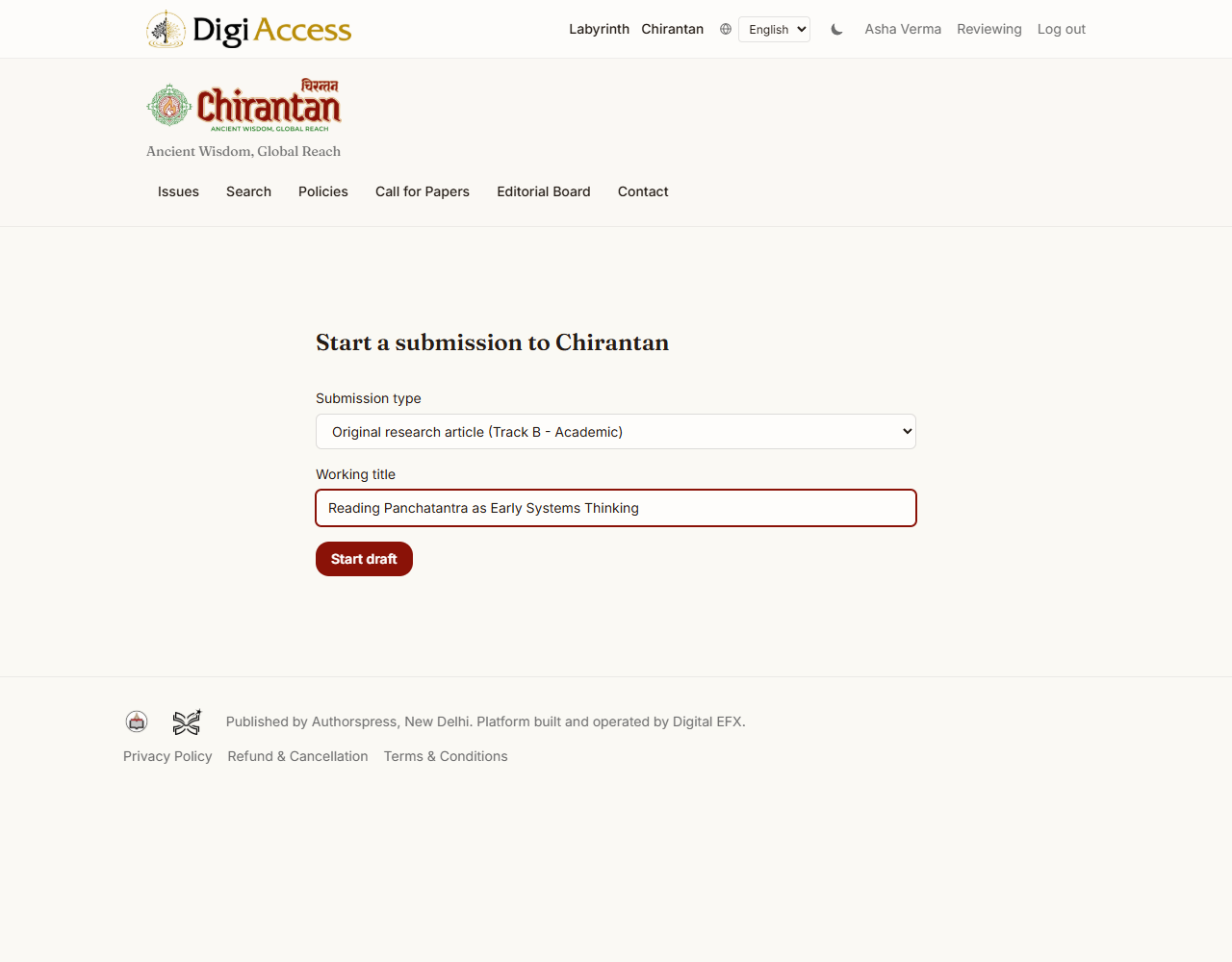
Your submission opens as a five-step wizard: Upload, Contributors, Metadata, Declarations, and Preview. You can complete these steps in any order and leave at any point. Your entries are saved automatically as you work, a few seconds after you stop typing, so you do not need to finish everything in one sitting. Once you submit your manuscript, the wizard becomes read-only; to make changes after that point, contact the editorial office.
Step 3: Upload Your Manuscript
Upload your manuscript file in PDF, DOC, DOCX, ODT, or LaTeX format. There is no separate upload for figures or supplementary files at this time; figures, tables, and any supporting material should be embedded within the main manuscript file itself.
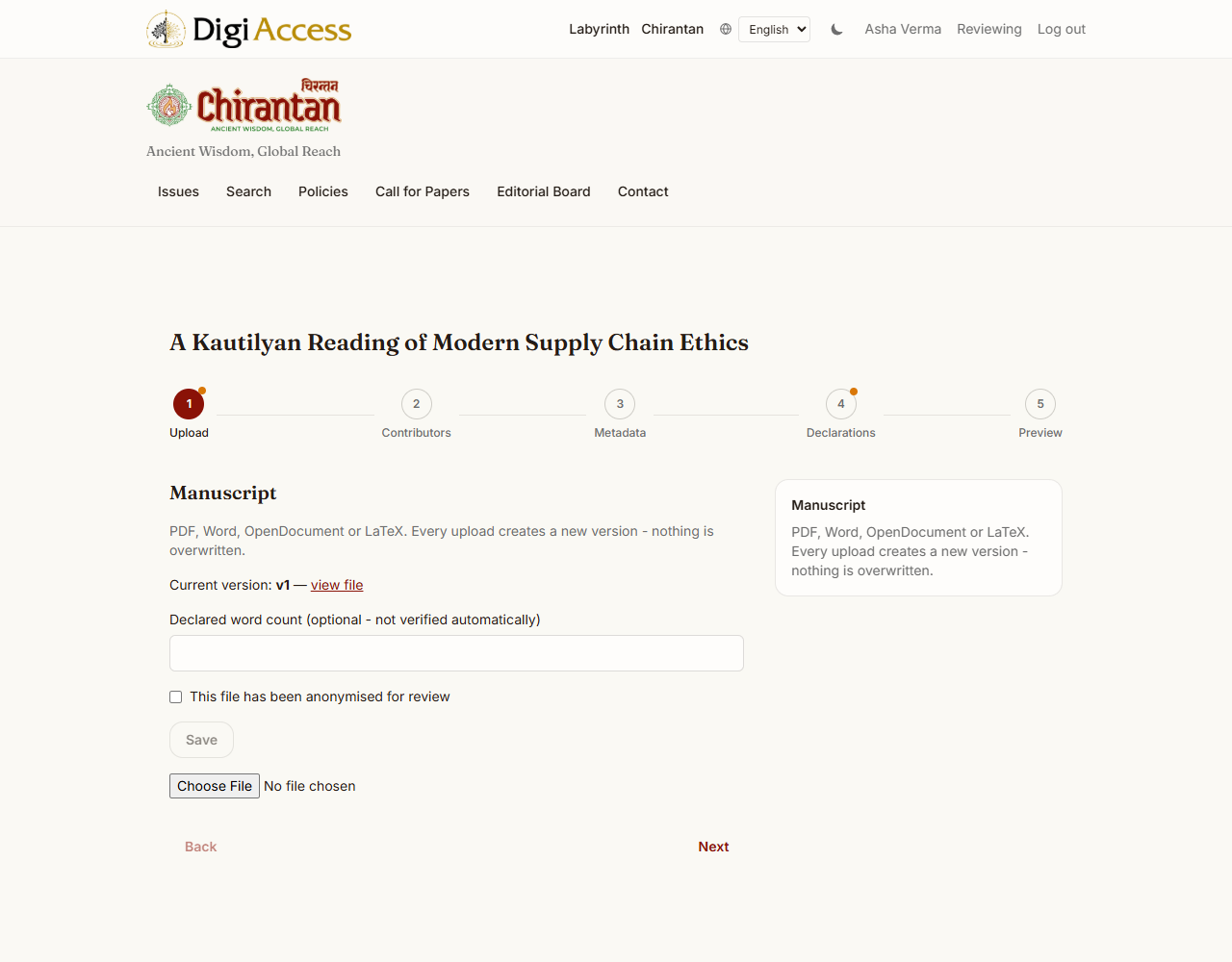
You may also declare your manuscript's word count. If your submission falls under a Track B (Academic) category, confirm whether the file you have uploaded has already been anonymised for double-blind review. If you replace the file later, for example while preparing a revision, the earlier version is kept, not deleted, so the full history of your manuscript is preserved.
Step 4: Add Contributors
You are added automatically as the first contributor and corresponding author when you start your submission, so you do not need to add yourself. Use this step to add any co-authors, either by looking them up by ORCID iD or entering their details manually: name, affiliation, a short biography, whether they are a corresponding author, and their contribution using the CRediT taxonomy.
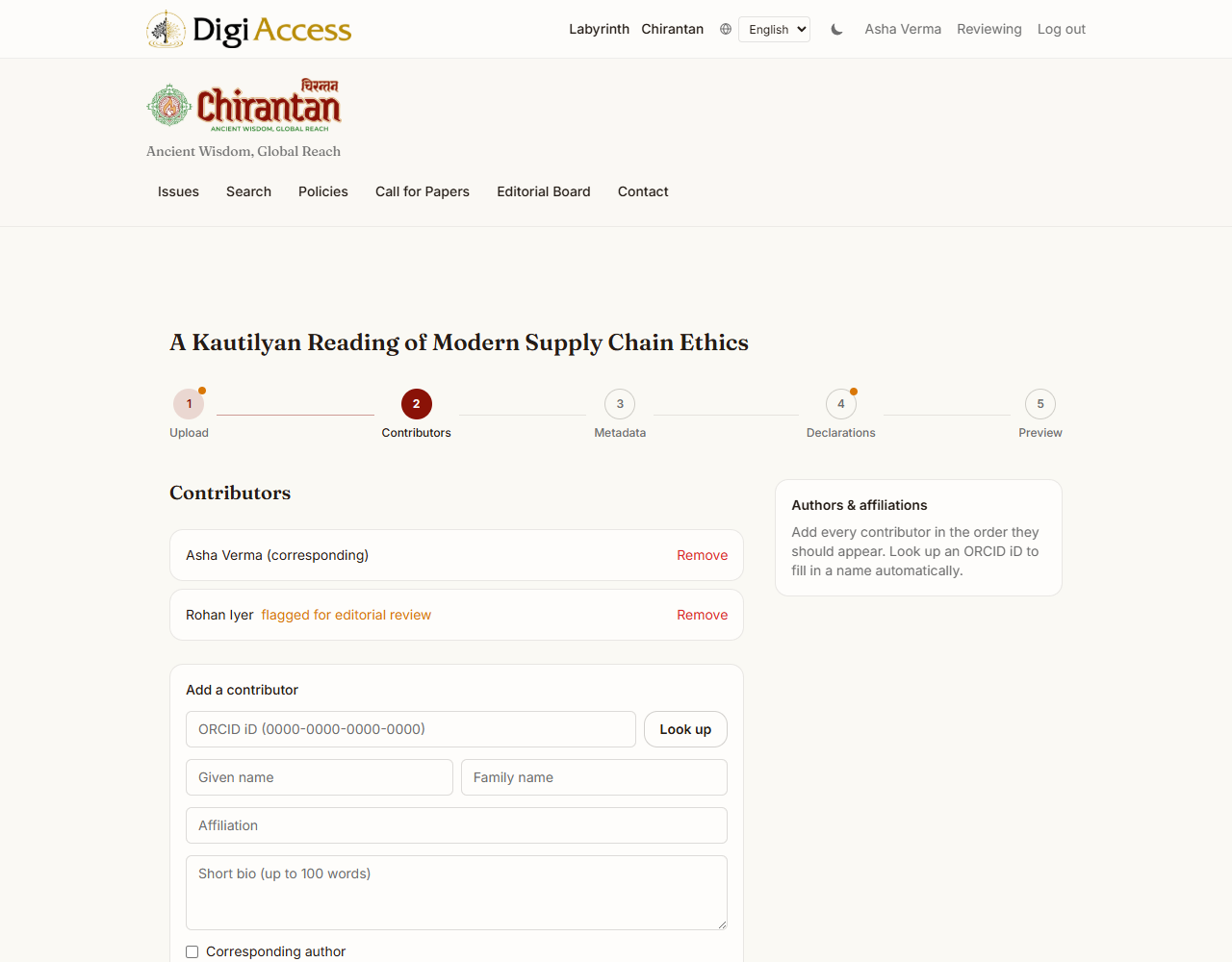
If a co-author's name does not exactly match an existing record and their ORCID iD is not provided, they are flagged for the editorial team to confirm their identity before review begins. This does not delay your own submission.
Step 5: Manuscript Details and Metadata
On the Metadata step, provide the language, title, abstract, and keywords. If your manuscript is not in English, an additional set of fields appears for the English title, abstract, and keywords, required for the article to be indexed correctly and to be discoverable outside Chirantan's own portal.
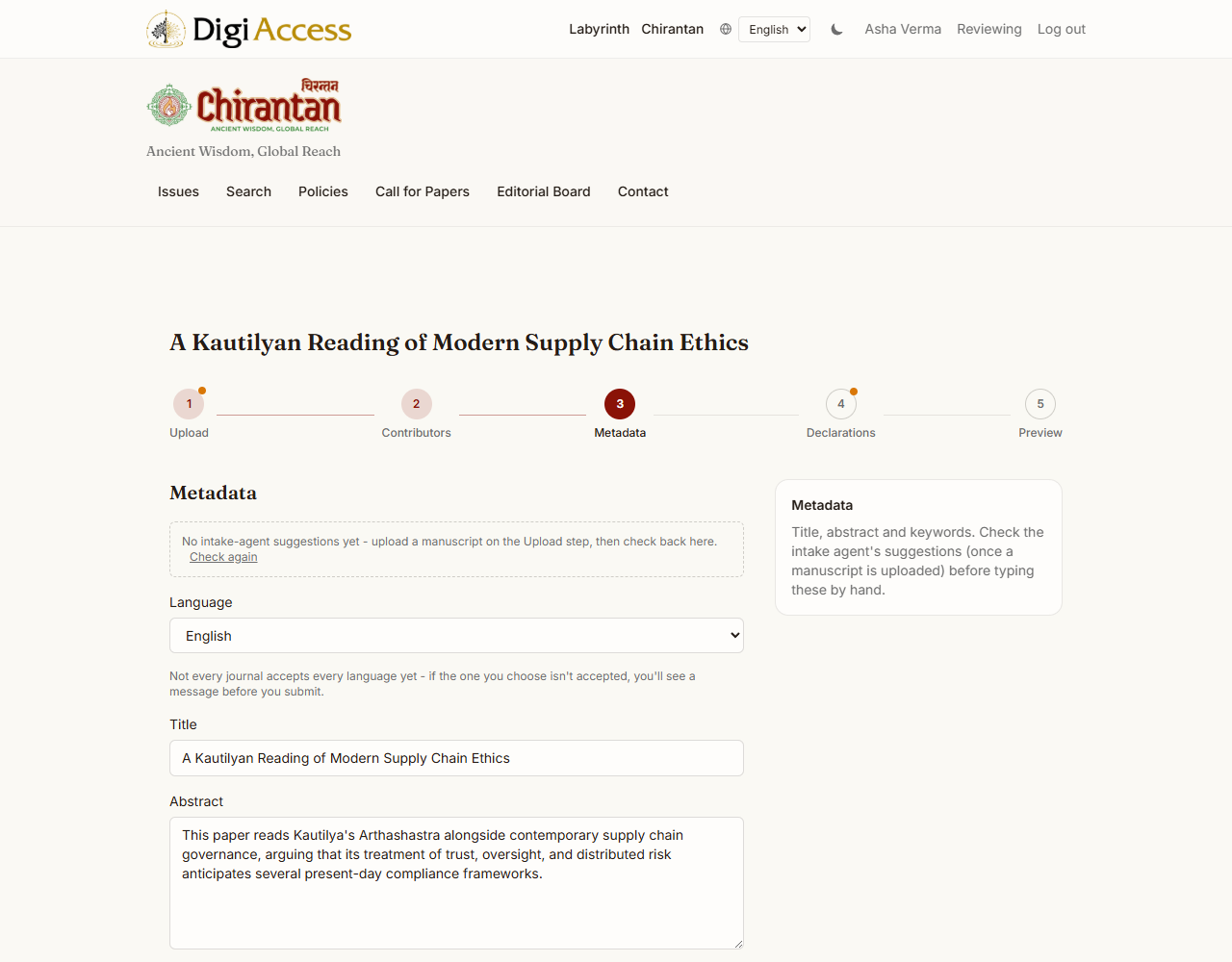
The portal may offer suggested title, abstract, or keyword text drafted by an editorial assistance tool. These suggestions are never applied automatically; review each one and apply it only if it improves on what you have written. Word count, abstract length, and keyword count are checked against the limits for your chosen article type when you submit, not as you type.
Step 6: Declarations
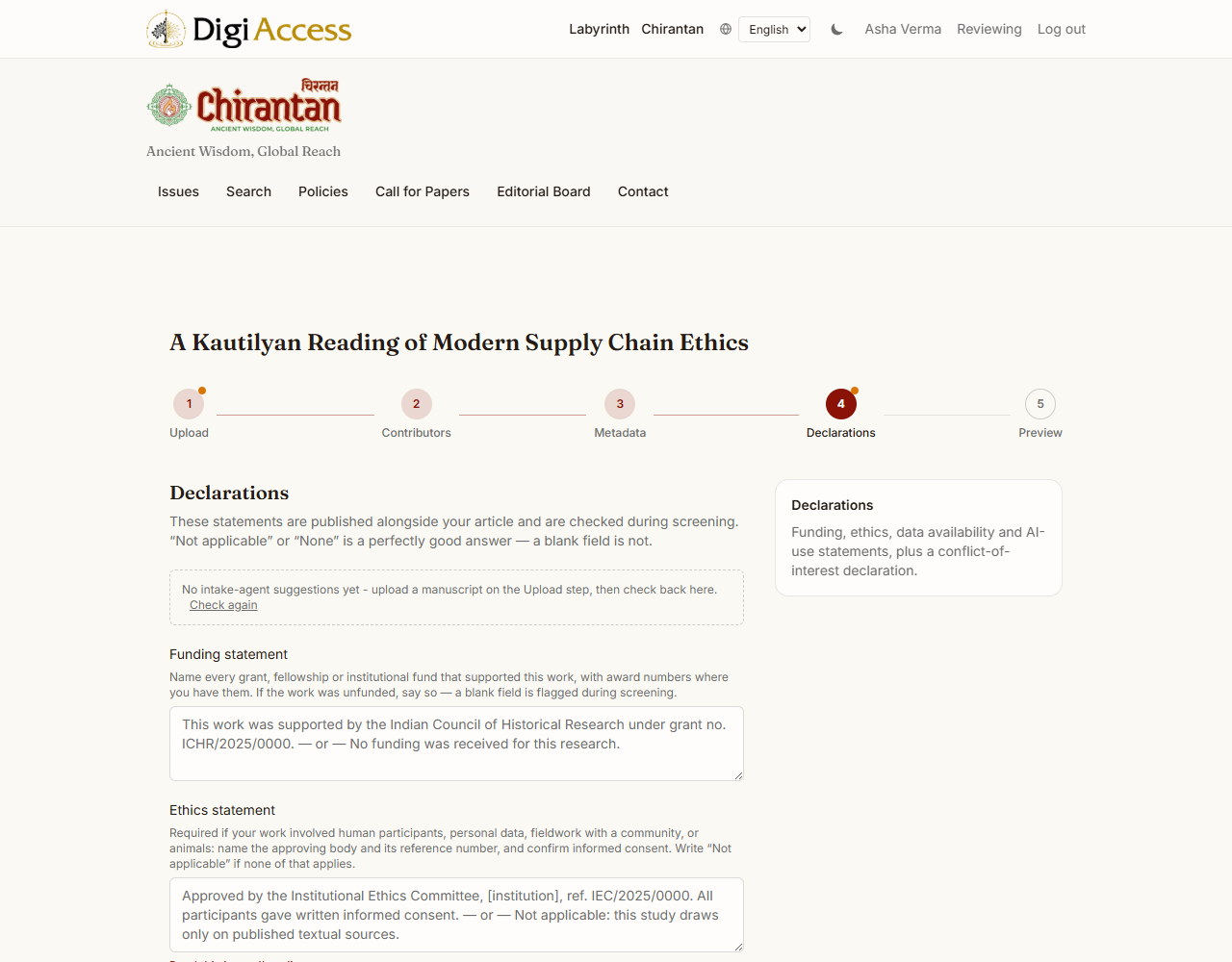
Before you can submit, provide: a declaration of originality (required); a conflict of interest declaration, or a description of the conflict; a funding statement; an ethics statement; a data availability statement; and an AI-use disclosure. All of these are checked when you submit. Your submission cannot proceed until each required declaration is complete.
Step 7: Review and Submit
The Preview step shows everything you have entered, along with any outstanding issues from earlier steps. The Submit button stays disabled until they are resolved.
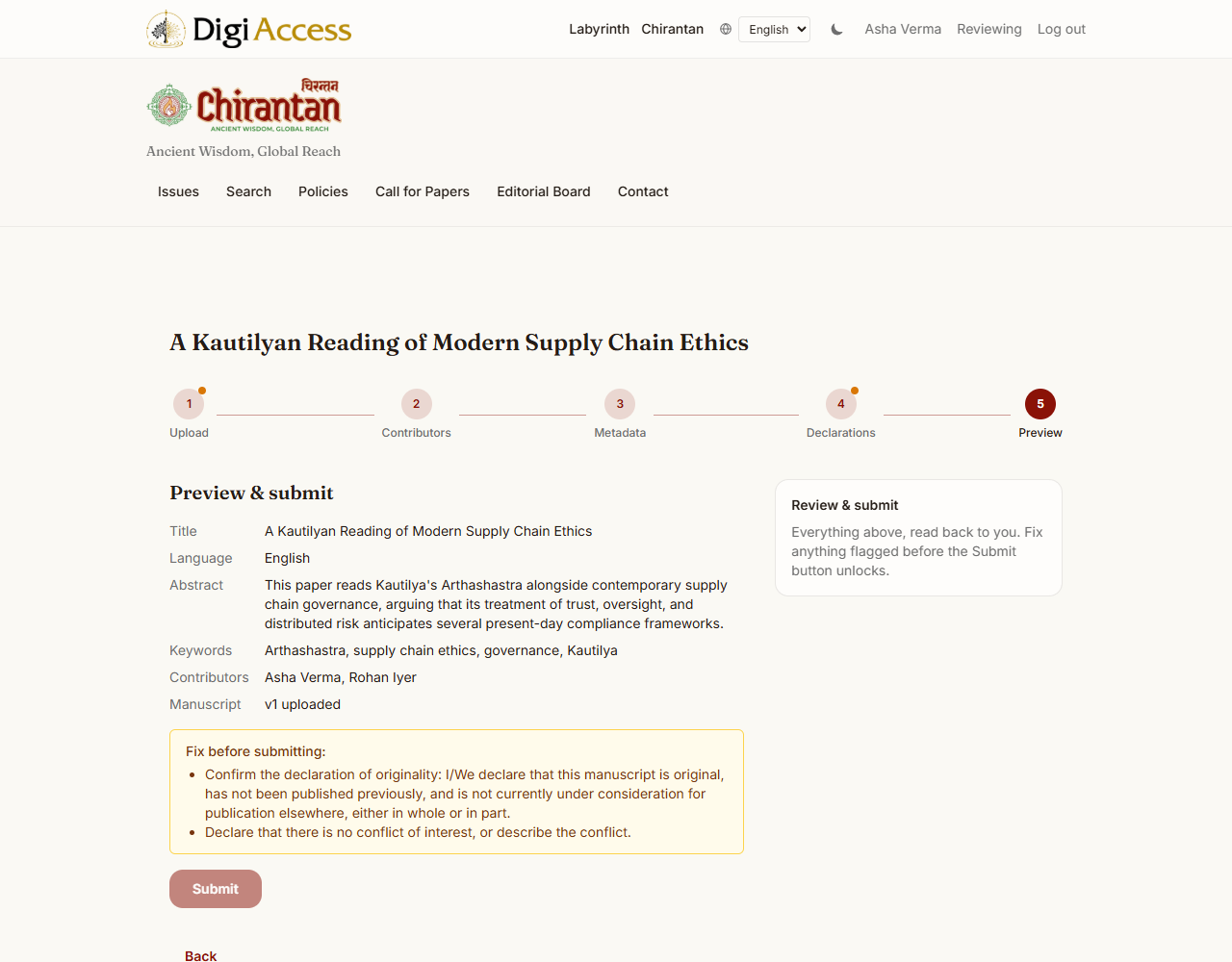
Once everything is in order, select Submit. Your manuscript is assigned a reference number, for example CHI-2027-0041. Its status also changes to Submitted. Use this reference number in any correspondence with the editorial office.
What Happens After You Submit
Screening. The editorial office checks your submission against Chirantan's technical requirements: word count, abstract and keyword completeness, declarations, and, for Track B submissions, that the anonymised file does not reveal author identity.
Internal assessment. A named editor considers the submission. For context, an internal editorial assistance tool also reads the manuscript and shares notes with the editor. This tool's notes are advisory only; they are never treated as a peer review and never count toward the number of reviewers required.
Peer review. Track B submissions are sent to at least two independent reviewers under double-blind conditions. Track A submissions are read by an editorial panel rather than sent for double-blind review.
Decision. Once review is complete, the handling editor records one of the following outcomes: desk rejection, returned without review, revise (Track A), minor revision or major revision (Track B), accept, reject, or transfer to another journal. "Returned without review" means the journal cannot take the paper forward to external review, for example because no reviewer of the right expertise is available yet; it is not a judgment on the paper. You will receive a decision letter by email explaining the outcome and, where relevant, the changes requested.
If Revisions Are Requested
A request for revision does not create a new submission; your existing submission simply returns to you for changes. Read the reviewer comments and the editor's decision letter, prepare your revised manuscript and a written response addressing each comment, then return to your submission on the portal to upload the revised file and submit your response to reviewers. Once your revised manuscript is in, the editor moves your submission back into review.
Final Decision and Publication
On acceptance, you will receive an acceptance notice along with an invoice for the article processing charge (see Fees and waivers). Settling it does not hold up production or proofing; it is only required before final publication. Your accepted manuscript is then prepared for publication and typeset, and you will be invited to review a proof before it is published. Once your article is assigned to an issue and any outstanding APC is settled, it is published on chirantanjournal.in with a DOI for permanent citation, and you and your co-authors are notified by email.
FAQs
Can I withdraw my submission? Contact the editorial office with your reference number to request a withdrawal.
Can I appeal a decision? Yes. The corresponding author may file an appeal within two weeks of the decision date; appeals are reviewed by the journal's Editor-in-Chief. A decision of returned without review is not a judgment on the paper, so it carries no appeal.
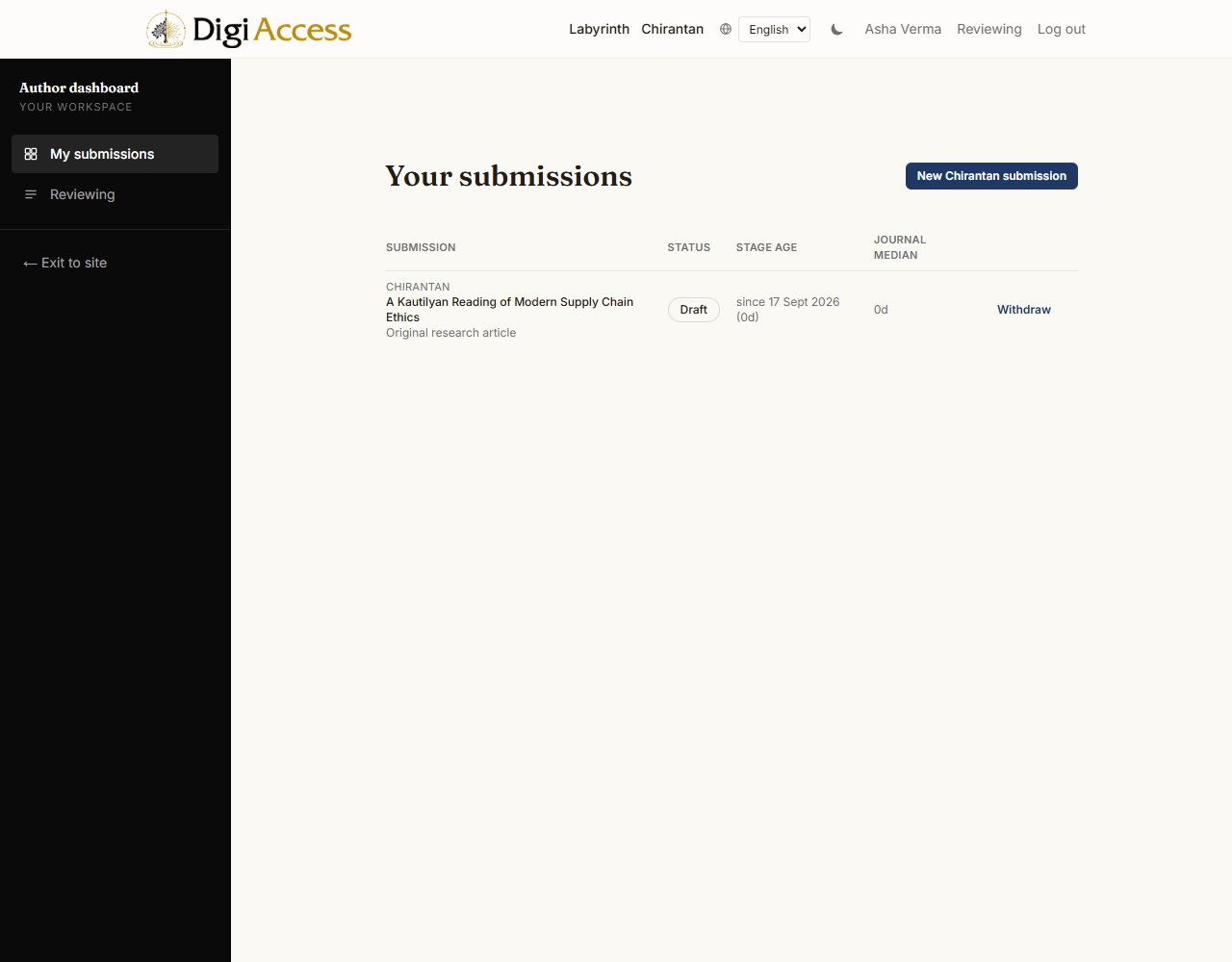
How do I check my submission's status? Log in and open your submission from your dashboard. Its current status is shown at the top.
Who do I contact for help? Write to admin@chirantanjournal.in for any submission-related query.